Cash tracking
Record receipts and payments, then see the monthly position.
PRACTICAL EXCEL WORKBOOKS / CLEARER REPORTING
HODASSA develops focused Excel trackers and reports for cash, sales and project costs. Start with a working example, then discuss the inputs and outputs your business needs.
A PRACTICAL STARTING POINT
Record receipts and payments, then see the monthly position.
Turn order inputs into sales, direct cost and margin views.
Compare budgets with costs and reviewed estimates to complete.
OPEN THE FILES. TRY THE INPUTS.
Real downloadable workbooks using fictional data. Each example explains its inputs, calculations and limits.
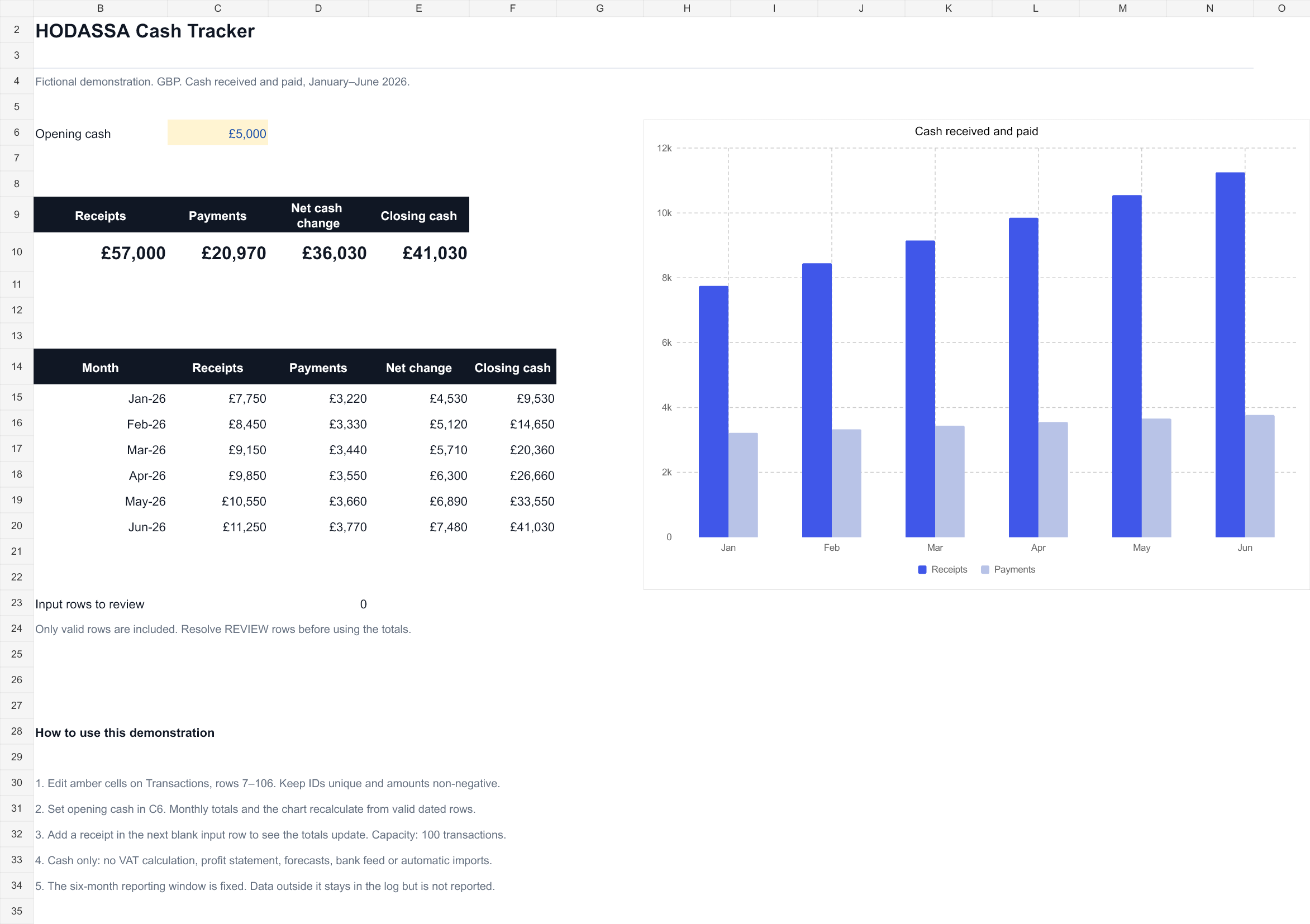 Actual workbook preview · View full size ↗
RECEIPTS / PAYMENTS
A dated transaction log feeds a six-month cash view, with receipts, payments and a running closing balance.
Explore Cash Tracker ↗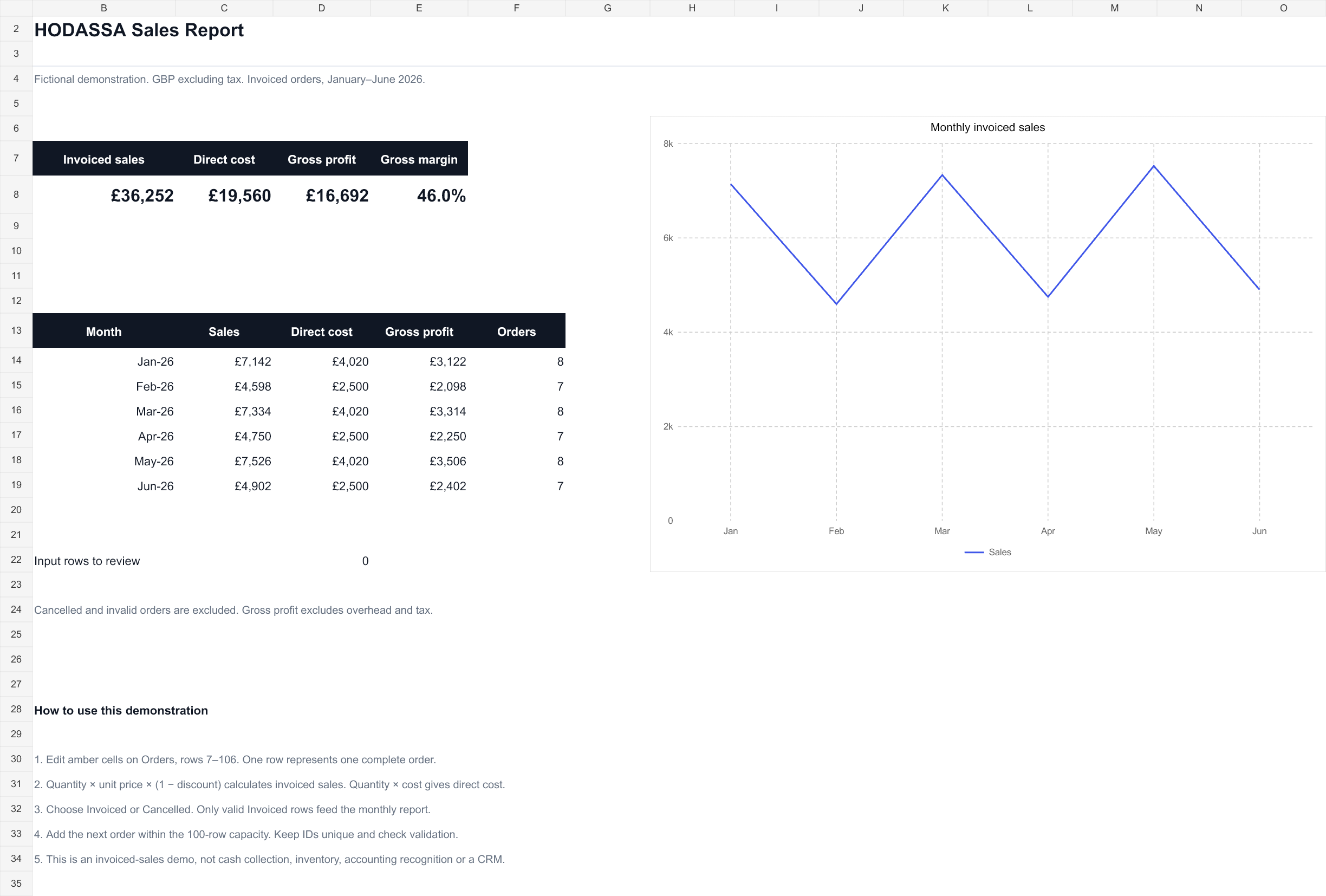 Actual workbook preview · View full size ↗
INVOICED SALES / DIRECT COST
Track invoiced sales, direct cost, gross profit and margin. Cancelled orders are excluded and incomplete inputs are flagged.
Explore Sales Report ↗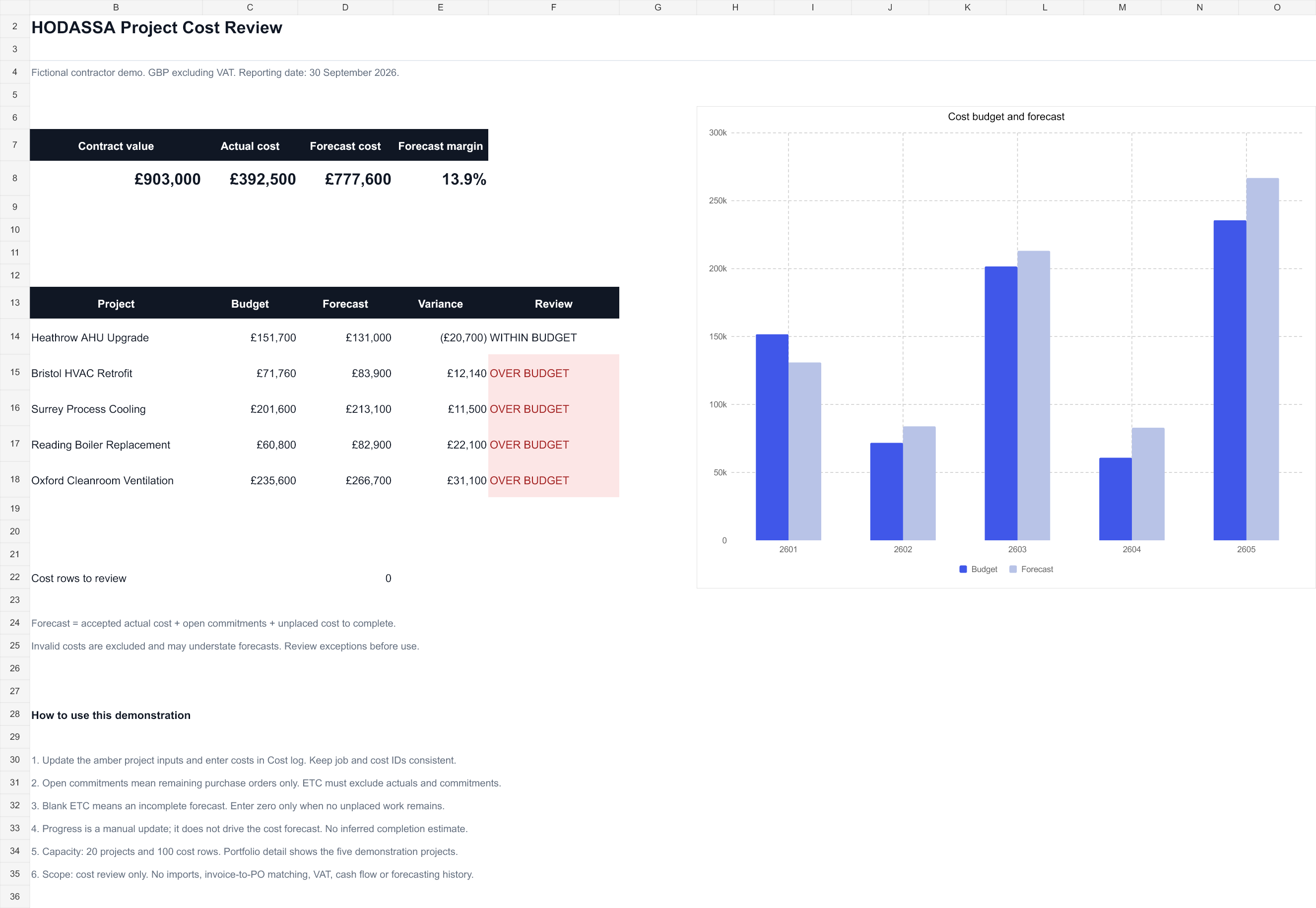 Actual workbook preview · View full size ↗
PROJECTS / COST TO COMPLETE
Compare project budgets against actual costs, remaining purchase commitments and a manually reviewed estimate to complete.
Explore Project Cost Review ↗HOW DELIVERY WORKS
01 / CHECK THE FIT
Review an anonymised sample, the report you need and your Excel version before committing to a build.
02 / AGREE THE SCOPE
Agree inputs, outputs, price, delivery date, revisions and acceptance checks in writing.
03 / BUILD & CHECK
Walk through normal updates, missing data and known totals together. Resolve differences before handover.
04 / HAND OVER
Provide the workbook and instructions. Agree the correction period and any future changes separately.
START WITH ONE REPORT
Describe the inputs you have, the decision you need to make and your Excel version.
Discuss your workbook